设为首页收藏本站

ZMX - IT技术交流论坛 - 无限Perfect,追求梦想 - itzmx.com

 找回密码
 注册论坛

QQ登录

只需一步,快速开始

新浪微博账号登陆

只需一步,快速开始

用百度帐号登录

只需两步,快速登录

搜索

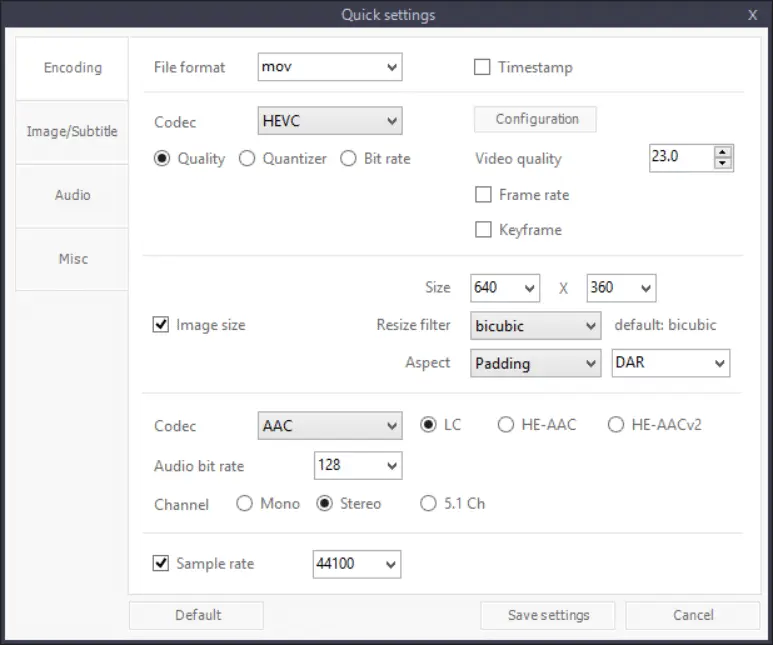
HEVC格式,h265视频高清压制软件,ShanaEncoder7.3.0.0.exe,GPU压制加速,简体中文版下载

查看数: 329972 | 评论数: 458 | 收藏 66
关灯 | 提示:支持键盘翻页<-左 右->
    组图打开中,请稍候......
发布时间: 2014/10/23 19:15

正文摘要:

ShanaEncoder是一款非常出色的软件,如有遇到什么疑问,可以进群:428453461交流讨论。 程序简介: ShanaEncoder是基于FFmpeg的音频/视频编码程序。 主要特点 - 初学者和专业人士可以方便地使用ShanaEncoder ...

回复

zjcxtt|Google Chrome 139.0.0.0|Windows 10 发表于 2025/8/12 09:14
天涯海角搜一下: 百度 谷歌 360 搜狗 有道 雅虎 必应 即刻
这个帖子首楼越来越长了哈
jyuanmhw|Google Chrome 125.0.0.0|Windows 10 发表于 2025/8/9 10:55
苹果手机拍摄的HDR视频转SVT-AV1会报错,Xperia拍的HDR视频转SVT-AV1不会报错,不知什么原因
小樱|Google Chrome 135.0.0.0|Windows 10 发表于 2025/4/18 20:08
jyuanmhw 发表于 2025/4/18 14:05
easyavs2bdnxml 是支持挂载 mod 滤镜的。这是转成 sup 的效果,但颜色明显分层了

ShanaEncoder底层核心是ffmpeg,字幕用的语法是Aegisub,你用第三方滤镜写的ass自然不会支持了,实现不了只能去换软件压制,直接用avs脚本去调用x264 core,或者重写ass字幕特效,不要用VSFilterMod来写出相同特效,除此之外没有解决办法,ffmpeg未来也不会支持VSFilterMod,ShanaEncoder底层使用ffmpeg自然也不支持
好比这个爱心就是VSFilterMod写的,在ffmpeg里面自然就会显示不出来
https://gofile.io/d/d620hn
[发帖际遇]: 小樱 发帖时在路边捡到 5 樱币,偷偷放进了口袋. 幸运榜 / 衰神榜
jyuanmhw|Google Chrome 115.0.0.0|Windows 10 发表于 2025/4/18 14:05
小樱 发表于 2025/4/17 23:15
这是第三方VSFilterMod滤镜专用的标签肯定是不支持的,渐变特效字幕用aegisub标准语法重新写就是支持的 ...


easyavs2bdnxml 是支持挂载 mod 滤镜的。这是转成 sup 的效果,但颜色明显分层了

2025-04-18_131056.jpg

这是在 aegisub 中预览的效果,平滑渐变

2025-04-18_133055.jpg

Aegisub 也要挂载 VSFilterMod.dll 才支持 mod 特效,希望用 ShanaEncoder 压成硬字幕,在无法外挂 mod 滤镜的前提下,如何实现?
小樱|Google Chrome 135.0.0.0|Windows 10 发表于 2025/4/17 23:15
jyuanmhw 发表于 2025/4/17 22:39
多谢小樱大佬回复

内置效果支持 mod 标签吗?比如 {/1vc}、{/jitter}之类的?或者说怎么实现 mod 特效 ...


这是第三方VSFilterMod滤镜专用的标签肯定是不支持的,渐变特效字幕用aegisub标准语法重新写就是支持的,比如这视频里面的额外增加的爱心跟随效果就不是ffmpeg里的
https://www.bilibili.com/video/BV1cp4y187Hv
就会显示评论区这种情况
  1. https://i0.hdslb.com/bfs/new_dyn/91c0e5aa9324c10b7633ab9a849bf84559496029.png
复制代码


然而 easyavs2bdnxml 也可以说不支持第三方滤镜(网上有修改版),自然显示不出专用标签的效果,我的建议是重写字幕,因为用户播放器也不会安装VSFilterMod这种滤镜,用户播放只会出现一大片乱码,硬字幕或者转图片sup确实可行,但是要转换软件能支持第三方滤镜,不如用aegisub重写字幕文件
jyuanmhw|Google Chrome 115.0.0.0|Windows 10 发表于 2025/4/17 22:39
小樱 发表于 2025/4/17 18:41
不支持第三方滤镜,仅支持ffmpeg自带的滤镜,内置的效果比VSFilterMod第三方的更好

多谢小樱大佬回复

内置效果支持 mod 标签吗?比如 {/1vc}、{/jitter}之类的?或者说怎么实现 mod 特效?

尝试用 easyavs2bdnxml 把 ass 字幕转成 SUP,发现 {/1vc} 渐变色效果不像在 aegisub 中预览那样平滑渐变,而是颜色有明显分层
小樱|Google Chrome 135.0.0.0|Windows 10 发表于 2025/4/17 18:41
jyuanmhw 发表于 2025/4/17 17:54
最新版支持调用VSFilterMod滤镜了吗?非常需要

不支持第三方滤镜,仅支持ffmpeg自带的滤镜,内置的效果比VSFilterMod第三方的更好
jyuanmhw|Google Chrome 115.0.0.0|Windows 10 发表于 2025/4/17 17:54
最新版支持调用VSFilterMod滤镜了吗?非常需要
小樱|Google Chrome 134.0.0.0|Windows 10 发表于 2025/3/14 23:00
BieLang 发表于 2025/3/14 21:08
ShanaEncoder压制怎么保留杜比视界呢,dovi_tool这个工具怎么用的

这个要看ffmpeg后续支持了,杜比境界一般推荐直接封装而不是压制,现在dovi处理是实验性的
BieLang|Google Chrome 122.0.6261.95|Windows 10 发表于 2025/3/14 21:08
ShanaEncoder压制怎么保留杜比视界呢,dovi_tool这个工具怎么用的
小樱|Google Chrome 134.0.0.0|Windows 10 发表于 2025/3/12 00:12
7sakura 发表于 2025/3/11 23:19
又更新到7.4了。

7.4主要更新了输入文件为HEVC,并且使用蓝光图形字幕,才会发生编码错误的BUG
https://trac.ffmpeg.org/ticket/11468
7.4汉化估计不好做,更新记录看起来集成dlll了,先观望一下看看会不会7.5
7sakura|Google Chrome 134.0.0.0|Windows 10 发表于 2025/3/11 23:19
又更新到7.4了。
小樱|Google Chrome 133.0.0.0|Windows 10 发表于 2025/3/2 01:34
BieLang 发表于 2025/3/2 00:14
mp4格式的问题?改成mkv可以了

对,上面有说,mp4不支持蓝光片源的一些特性
BieLang|Google Chrome 122.0.6261.95|Windows 10 发表于 2025/3/2 00:14

mp4格式的问题?改成mkv可以了
BieLang|Google Chrome 122.0.6261.95|Windows 10 发表于 2025/3/2 00:12
小樱 发表于 2025/3/1 23:50
字幕选择无试试,报错有显示蓝光字幕异常,如果输出格式是mp4那么是不支持蓝光字幕的
可能是这个原因 ...

还是报错
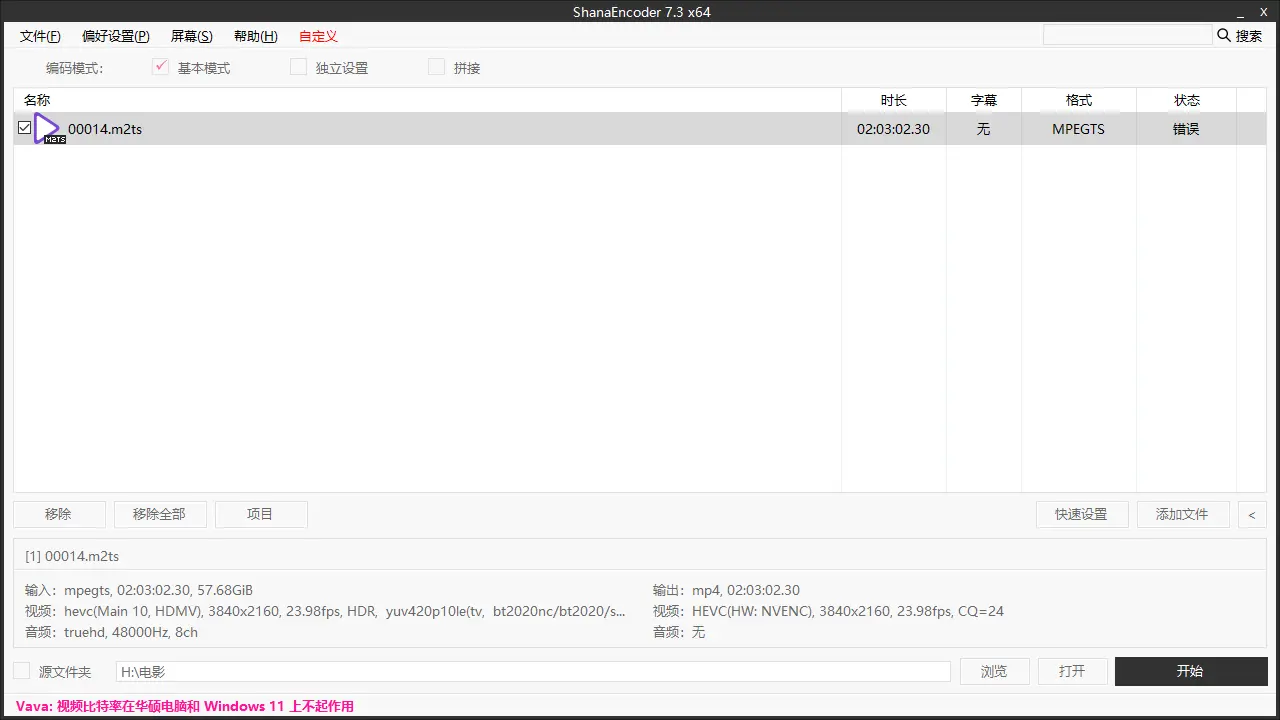
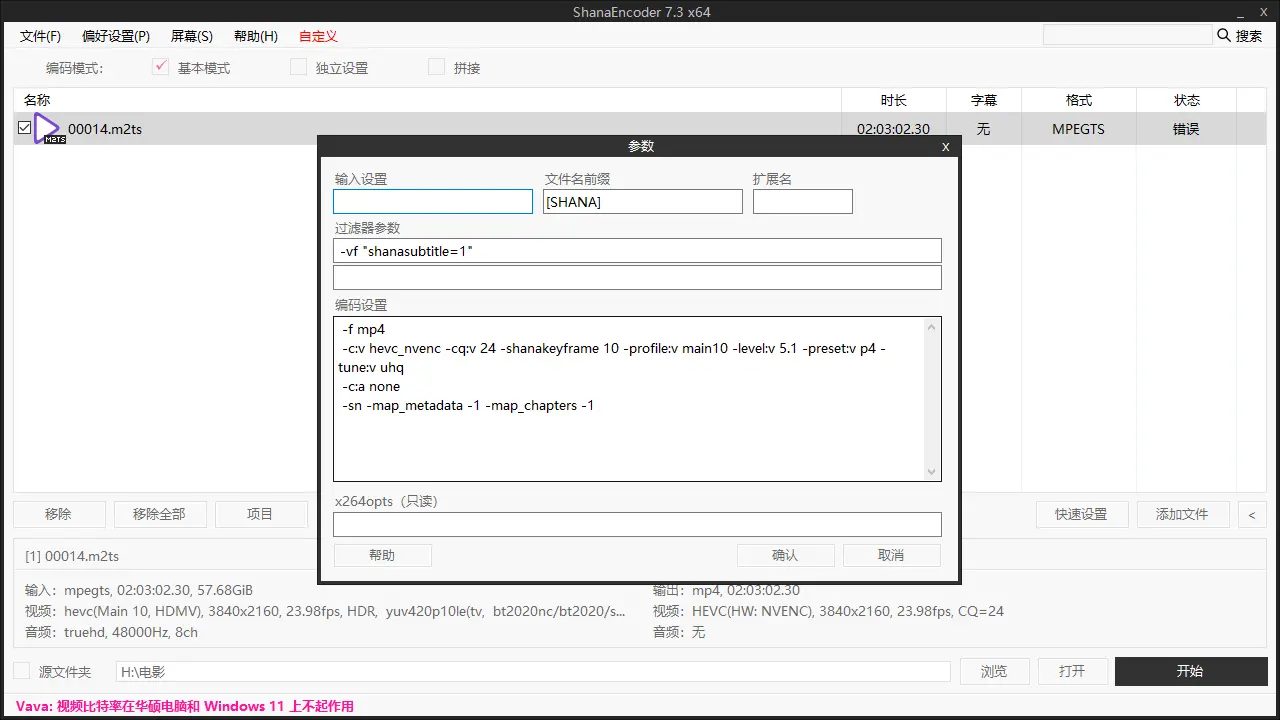
QQ截图20250302001125.png QQ截图20250302001150.png
[info] ShanaEncoder v7.3.0.0
[info] FFmpeg v2025.02.02.202
[info] NVIDIA GeForce GTX 1060 6GB

=================================================

>> 编码开始时间:2025/3/2/周日 0:10:47

* [1] 输入文件名:00014.m2ts

[mpegts @ 00000255bed60a80] DTS discontinuity in stream 13: packet 12 with DTS 381391531, packet 13 with DTS 381855179
[mpegts @ 00000255bed60a80] DTS discontinuity in stream 18: packet 4 with DTS 382341230, packet 5 with DTS 382497070
[mpegts @ 00000255bed60a80] DTS discontinuity in stream 13: packet 20 with DTS 382344986, packet 21 with DTS 382500823
[mpegts @ 00000255bed60a80] DTS discontinuity in stream 17: packet 4 with DTS 382344985, packet 5 with DTS 382500824
[mpegts @ 00000255bed60a80] DTS discontinuity in stream 16: packet 4 with DTS 382344969, packet 5 with DTS 382500840
[mpegts @ 00000255bed60a80] DTS discontinuity in stream 13: packet 28 with DTS 382863001, packet 29 with DTS 383259082
[mpegts @ 00000255bed60a80] DTS discontinuity in stream 14: packet 12 with DTS 383782641, packet 13 with DTS 383878480
[mpegts @ 00000255bed60a80] DTS discontinuity in stream 13: packet 44 with DTS 384289425, packet 45 with DTS 384535357
[mpegts @ 00000255bed60a80] DTS discontinuity in stream 11: packet 44 with DTS 384758622, packet 45 with DTS 384854449
[mpegts @ 00000255bed60a80] DTS discontinuity in stream 13: packet 52 with DTS 384796203, packet 53 with DTS 384985787
[mpegts @ 00000255bed60a80] DTS discontinuity in stream 14: packet 20 with DTS 385062691, packet 21 with DTS 385222301
[mpegts @ 00000255bed60a80] DTS discontinuity in stream 17: packet 36 with DTS 385062691, packet 37 with DTS 385222302
[mpegts @ 00000255bed60a80] DTS discontinuity in stream 11: packet 52 with DTS 385062676, packet 53 with DTS 385222317
[mpegts @ 00000255bed60a80] DTS discontinuity in stream 15: packet 12 with DTS 385062670, packet 13 with DTS 385222323
[mpegts @ 00000255bed60a80] DTS discontinuity in stream 18: packet 36 with DTS 385058940, packet 37 with DTS 385226051
[mpegts @ 00000255bed60a80] DTS discontinuity in stream 12: packet 20 with DTS 385062681, packet 21 with DTS 385229818
[mpegts @ 00000255bed60a80] DTS discontinuity in stream 11: packet 76 with DTS 385516884, packet 77 with DTS 385691531
[mpegts @ 00000255bed60a80] DTS discontinuity in stream 12: packet 60 with DTS 386031158, packet 61 with DTS 386217044
[mpegts @ 00000255bed60a80] DTS discontinuity in stream 13: packet 148 with DTS 387228580, packet 149 with DTS 387313164
[mpegts @ 00000255bed60a80] DTS discontinuity in stream 11: packet 148 with DTS 387217309, packet 149 with DTS 387313173
[mpegts @ 00000255bed60a80] DTS discontinuity in stream 13: packet 156 with DTS 387318662, packet 157 with DTS 387414525
[mpegts @ 00000255bed60a80] DTS discontinuity in stream 18: packet 124 with DTS 387495082, packet 125 with DTS 387590957
[mpegts @ 00000255bed60a80] DTS discontinuity in stream 17: packet 124 with DTS 387498851, packet 125 with DTS 387594696
[mpegts @ 00000255bed60a80] DTS discontinuity in stream 16: packet 124 with DTS 387498850, packet 125 with DTS 387594697
[mpegts @ 00000255bed60a80] DTS discontinuity in stream 12: packet 116 with DTS 387498839, packet 117 with DTS 387594707
[mpegts @ 00000255bed60a80] DTS discontinuity in stream 15: packet 76 with DTS 387495090, packet 77 with DTS 387620979
[mpegts @ 00000255bed60a80] DTS discontinuity in stream 18: packet 140 with DTS 387986920, packet 141 with DTS 388244011
[mpegts @ 00000255bed60a80] start time for stream 19 is not set in estimate_timings_from_pts
[mpegts @ 00000255bed60a80] start time for stream 20 is not set in estimate_timings_from_pts
[mpegts @ 00000255bed60a80] start time for stream 21 is not set in estimate_timings_from_pts
[mpegts @ 00000255bed60a80] start time for stream 22 is not set in estimate_timings_from_pts
[mpegts @ 00000255bed60a80] start time for stream 23 is not set in estimate_timings_from_pts
[mpegts @ 00000255bed60a80] start time for stream 24 is not set in estimate_timings_from_pts
[mpegts @ 00000255bed60a80] stream 0 : no PTS found at end of file, duration not set
[mpegts @ 00000255bed60a80] stream 1 : no PTS found at end of file, duration not set
[mpegts @ 00000255bed60a80] Could not find codec parameters for stream 19 (Subtitle: hdmv_pgs_subtitle (pgssub) ([144][0][0][0] / 0x0090)): unspecified size
Consider increasing the value for the 'analyzeduration' (1000000000) and 'probesize' (1000000000) options
[mpegts @ 00000255bed60a80] Could not find codec parameters for stream 20 (Subtitle: hdmv_pgs_subtitle (pgssub) ([144][0][0][0] / 0x0090)): unspecified size
Consider increasing the value for the 'analyzeduration' (1000000000) and 'probesize' (1000000000) options
[mpegts @ 00000255bed60a80] Could not find codec parameters for stream 21 (Subtitle: hdmv_pgs_subtitle (pgssub) ([144][0][0][0] / 0x0090)): unspecified size
Consider increasing the value for the 'analyzeduration' (1000000000) and 'probesize' (1000000000) options
[mpegts @ 00000255bed60a80] Could not find codec parameters for stream 22 (Subtitle: hdmv_pgs_subtitle (pgssub) ([144][0][0][0] / 0x0090)): unspecified size
Consider increasing the value for the 'analyzeduration' (1000000000) and 'probesize' (1000000000) options
[mpegts @ 00000255bed60a80] Could not find codec parameters for stream 23 (Subtitle: hdmv_pgs_subtitle (pgssub) ([144][0][0][0] / 0x0090)): unspecified size
Consider increasing the value for the 'analyzeduration' (1000000000) and 'probesize' (1000000000) options
[mpegts @ 00000255bed60a80] Could not find codec parameters for stream 24 (Subtitle: hdmv_pgs_subtitle (pgssub) ([144][0][0][0] / 0x0090)): unspecified size
Consider increasing the value for the 'analyzeduration' (1000000000) and 'probesize' (1000000000) options
Stream mapping:
  Stream #0:0 -> #0:0 (hevc (native) -> hevc (hevc_nvenc))
[hevc_nvenc @ 00000255bed92640] InitializeEncoder failed: invalid param (8): Ultra High Quality Tuning Info is not supported on this architecture.
[vost#0:0/hevc_nvenc @ 00000255f2dce4c0] [enc:hevc_nvenc @ 00000255bed905c0] Error while opening encoder - maybe incorrect parameters such as bit_rate, rate, width or height.
[vf#0:0 @ 00000255f71e2040] Error sending frames to consumers: Invalid argument
[vf#0:0 @ 00000255f71e2040] Task finished with error code: -22 (Invalid argument)
[vf#0:0 @ 00000255f71e2040] Terminating thread with return code -22 (Invalid argument)
[vost#0:0/hevc_nvenc @ 00000255f2dce4c0] [enc:hevc_nvenc @ 00000255bed905c0] Could not open encoder before EOF
[vost#0:0/hevc_nvenc @ 00000255f2dce4c0] Task finished with error code: -22 (Invalid argument)
[vost#0:0/hevc_nvenc @ 00000255f2dce4c0] Terminating thread with return code -22 (Invalid argument)
[out#0/mp4 @ 00000255bf82e600] Nothing was written into output file, because at least one of its streams received no packets.
Conversion failed!

* [1] 编码错误已经发生。

>> 速度 0x 已耗时 00:00:00

=================================================
>> 全部经过时间 00:00:02
=================================================
小樱|Google Chrome 133.0.0.0|Windows 10 发表于 2025/3/1 23:50
BieLang 发表于 2025/3/1 23:16
这个报错是什么情况


字幕选择无试试,报错有显示蓝光字幕异常,如果输出格式是mp4那么是不支持蓝光字幕的
可能是这个原因,总之先试试
BieLang|Google Chrome 122.0.6261.95|Windows 10 发表于 2025/3/1 23:16
这个报错是什么情况
[info] ShanaEncoder v7.3.0.0
[info] FFmpeg v2025.02.02.202
[info] NVIDIA GeForce GTX 1060 6GB

=================================================

>> 编码开始时间:2025/3/1/周六 23:12:11

* [1] 输入文件名:00014.m2ts

[mpegts @ 00000201c4990bc0] DTS discontinuity in stream 13: packet 12 with DTS 381391531, packet 13 with DTS 381855179
[mpegts @ 00000201c4990bc0] DTS discontinuity in stream 18: packet 4 with DTS 382341230, packet 5 with DTS 382497070
[mpegts @ 00000201c4990bc0] DTS discontinuity in stream 13: packet 20 with DTS 382344986, packet 21 with DTS 382500823
[mpegts @ 00000201c4990bc0] DTS discontinuity in stream 17: packet 4 with DTS 382344985, packet 5 with DTS 382500824
[mpegts @ 00000201c4990bc0] DTS discontinuity in stream 16: packet 4 with DTS 382344969, packet 5 with DTS 382500840
[mpegts @ 00000201c4990bc0] DTS discontinuity in stream 13: packet 28 with DTS 382863001, packet 29 with DTS 383259082
[mpegts @ 00000201c4990bc0] DTS discontinuity in stream 14: packet 12 with DTS 383782641, packet 13 with DTS 383878480
[mpegts @ 00000201c4990bc0] DTS discontinuity in stream 13: packet 44 with DTS 384289425, packet 45 with DTS 384535357
[mpegts @ 00000201c4990bc0] DTS discontinuity in stream 11: packet 44 with DTS 384758622, packet 45 with DTS 384854449
[mpegts @ 00000201c4990bc0] DTS discontinuity in stream 13: packet 52 with DTS 384796203, packet 53 with DTS 384985787
[mpegts @ 00000201c4990bc0] DTS discontinuity in stream 14: packet 20 with DTS 385062691, packet 21 with DTS 385222301
[mpegts @ 00000201c4990bc0] DTS discontinuity in stream 17: packet 36 with DTS 385062691, packet 37 with DTS 385222302
[mpegts @ 00000201c4990bc0] DTS discontinuity in stream 11: packet 52 with DTS 385062676, packet 53 with DTS 385222317
[mpegts @ 00000201c4990bc0] DTS discontinuity in stream 15: packet 12 with DTS 385062670, packet 13 with DTS 385222323
[mpegts @ 00000201c4990bc0] DTS discontinuity in stream 18: packet 36 with DTS 385058940, packet 37 with DTS 385226051
[mpegts @ 00000201c4990bc0] DTS discontinuity in stream 12: packet 20 with DTS 385062681, packet 21 with DTS 385229818
[mpegts @ 00000201c4990bc0] DTS discontinuity in stream 11: packet 76 with DTS 385516884, packet 77 with DTS 385691531
[mpegts @ 00000201c4990bc0] DTS discontinuity in stream 12: packet 60 with DTS 386031158, packet 61 with DTS 386217044
[mpegts @ 00000201c4990bc0] DTS discontinuity in stream 13: packet 148 with DTS 387228580, packet 149 with DTS 387313164
[mpegts @ 00000201c4990bc0] DTS discontinuity in stream 11: packet 148 with DTS 387217309, packet 149 with DTS 387313173
[mpegts @ 00000201c4990bc0] DTS discontinuity in stream 13: packet 156 with DTS 387318662, packet 157 with DTS 387414525
[mpegts @ 00000201c4990bc0] DTS discontinuity in stream 18: packet 124 with DTS 387495082, packet 125 with DTS 387590957
[mpegts @ 00000201c4990bc0] DTS discontinuity in stream 17: packet 124 with DTS 387498851, packet 125 with DTS 387594696
[mpegts @ 00000201c4990bc0] DTS discontinuity in stream 16: packet 124 with DTS 387498850, packet 125 with DTS 387594697
[mpegts @ 00000201c4990bc0] DTS discontinuity in stream 12: packet 116 with DTS 387498839, packet 117 with DTS 387594707
[mpegts @ 00000201c4990bc0] DTS discontinuity in stream 15: packet 76 with DTS 387495090, packet 77 with DTS 387620979
[mpegts @ 00000201c4990bc0] DTS discontinuity in stream 18: packet 140 with DTS 387986920, packet 141 with DTS 388244011
[mpegts @ 00000201c4990bc0] start time for stream 19 is not set in estimate_timings_from_pts
[mpegts @ 00000201c4990bc0] start time for stream 20 is not set in estimate_timings_from_pts
[mpegts @ 00000201c4990bc0] start time for stream 21 is not set in estimate_timings_from_pts
[mpegts @ 00000201c4990bc0] start time for stream 22 is not set in estimate_timings_from_pts
[mpegts @ 00000201c4990bc0] start time for stream 23 is not set in estimate_timings_from_pts
[mpegts @ 00000201c4990bc0] start time for stream 24 is not set in estimate_timings_from_pts
[mpegts @ 00000201c4990bc0] stream 0 : no PTS found at end of file, duration not set
[mpegts @ 00000201c4990bc0] stream 1 : no PTS found at end of file, duration not set
[mpegts @ 00000201c4990bc0] Could not find codec parameters for stream 19 (Subtitle: hdmv_pgs_subtitle (pgssub) ([144][0][0][0] / 0x0090)): unspecified size
Consider increasing the value for the 'analyzeduration' (1000000000) and 'probesize' (1000000000) options
[mpegts @ 00000201c4990bc0] Could not find codec parameters for stream 20 (Subtitle: hdmv_pgs_subtitle (pgssub) ([144][0][0][0] / 0x0090)): unspecified size
Consider increasing the value for the 'analyzeduration' (1000000000) and 'probesize' (1000000000) options
[mpegts @ 00000201c4990bc0] Could not find codec parameters for stream 21 (Subtitle: hdmv_pgs_subtitle (pgssub) ([144][0][0][0] / 0x0090)): unspecified size
Consider increasing the value for the 'analyzeduration' (1000000000) and 'probesize' (1000000000) options
[mpegts @ 00000201c4990bc0] Could not find codec parameters for stream 22 (Subtitle: hdmv_pgs_subtitle (pgssub) ([144][0][0][0] / 0x0090)): unspecified size
Consider increasing the value for the 'analyzeduration' (1000000000) and 'probesize' (1000000000) options
[mpegts @ 00000201c4990bc0] Could not find codec parameters for stream 23 (Subtitle: hdmv_pgs_subtitle (pgssub) ([144][0][0][0] / 0x0090)): unspecified size
Consider increasing the value for the 'analyzeduration' (1000000000) and 'probesize' (1000000000) options
[mpegts @ 00000201c4990bc0] Could not find codec parameters for stream 24 (Subtitle: hdmv_pgs_subtitle (pgssub) ([144][0][0][0] / 0x0090)): unspecified size
Consider increasing the value for the 'analyzeduration' (1000000000) and 'probesize' (1000000000) options
Stream mapping:
  Stream #0:0 -> #0:0 (hevc (native) -> hevc (hevc_nvenc))
[hevc_nvenc @ 00000201c49c42c0] InitializeEncoder failed: invalid param (8): Ultra High Quality Tuning Info is not supported on this architecture.
[vost#0:0/hevc_nvenc @ 00000201c552e040] [enc:hevc_nvenc @ 00000201c49c0940] Error while opening encoder - maybe incorrect parameters such as bit_rate, rate, width or height.
[vf#0:0 @ 00000201d620e040] Error sending frames to consumers: Invalid argument
[vf#0:0 @ 00000201d620e040] Task finished with error code: -22 (Invalid argument)
[vf#0:0 @ 00000201d620e040] Terminating thread with return code -22 (Invalid argument)
[vost#0:0/hevc_nvenc @ 00000201c552e040] [enc:hevc_nvenc @ 00000201c49c0940] Could not open encoder before EOF
[vost#0:0/hevc_nvenc @ 00000201c552e040] Task finished with error code: -22 (Invalid argument)
[vost#0:0/hevc_nvenc @ 00000201c552e040] Terminating thread with return code -22 (Invalid argument)
[out#0/matroska @ 00000201d7c2e440] Nothing was written into output file, because at least one of its streams received no packets.
Conversion failed!

* [1] 编码错误已经发生。

>> 速度 0x 已耗时 00:00:00

=================================================
>> 全部经过时间 00:00:02
=================================================
[发帖际遇]: 一个袋子砸在了 BieLang 头上,BieLang 赚了 5 樱币. 幸运榜 / 衰神榜
miss_ing|Google Chrome 133.0.0.0|Windows 10 发表于 2025/2/21 00:14
小樱 发表于 2025/2/20 23:25
报错提示是驱动版本太低,新版本ffmpeg需要新的api,也就是551.76及以上驱动版本

感谢大佬的解答,已升级至最新版本的N卡驱动,问题解决了,谢谢!!!
小樱|Google Chrome 133.0.0.0|Windows 10 发表于 2025/2/20 23:25
miss_ing 发表于 2025/2/20 21:55
请教一下大佬,我使用 ShanaEncoder6.0.1.7 一切正常,今天升级了7.3版本,然后为什么一压制就报错

Sha ...

报错提示是驱动版本太低,新版本ffmpeg需要新的api,也就是551.76及以上驱动版本
miss_ing|Google Chrome 133.0.0.0|Windows 10 发表于 2025/2/20 21:55
请教一下大佬,我使用 ShanaEncoder6.0.1.7 一切正常,今天升级了7.3版本,然后为什么一压制就报错

[info] ShanaEncoder v7.3.0.0
[info] FFmpeg v2025.02.02.202
[info] Intel(R) UHD Graphics 770
[info] NVIDIA GeForce RTX 3080 Ti

=================================================

>> 编码开始时间:2025/2/20 21:53:17

* [1] 输入文件名:S01E01.1080p.WEB-DL.H264.DDP5.1.Atmos.mkv

[Parsed_subtitles_0 @ 00000252d9713f80] libass API version: 0x1703000
[Parsed_subtitles_0 @ 00000252d9713f80] libass source: tarball: 0.17.3
[Parsed_subtitles_0 @ 00000252d9713f80] Shaper: FriBidi 1.0.16 (SIMPLE) HarfBuzz-ng 10.1.0 (COMPLEX)
[Parsed_subtitles_0 @ 00000252d9713f80] Using font provider directwrite (with GDI)
Stream mapping:
  Stream #0:0 -> #0:0 (h264 (native) -> hevc (hevc_nvenc))
  Stream #0:1 -> #0:1 (eac3 (native) -> aac (libfdk_aac))
[Parsed_subtitles_0 @ 00000252d9713b40] libass API version: 0x1703000
[Parsed_subtitles_0 @ 00000252d9713b40] libass source: tarball: 0.17.3
[Parsed_subtitles_0 @ 00000252d9713b40] Shaper: FriBidi 1.0.16 (SIMPLE) HarfBuzz-ng 10.1.0 (COMPLEX)
[Parsed_subtitles_0 @ 00000252d9713b40] Using font provider directwrite (with GDI)
[Parsed_subtitles_0 @ 00000252d9713b40] Neither PlayResX nor PlayResY defined. Assuming 384x288
[hevc_nvenc @ 00000252d96aa080] Driver does not support the required nvenc API version. Required: 12.2 Found: 12.1
[hevc_nvenc @ 00000252d96aa080] The minimum required Nvidia driver for nvenc is 551.76 or newer
[vost#0:0/hevc_nvenc @ 00000252d96a2ac0] [enc:hevc_nvenc @ 00000252d971d280] Error while opening encoder - maybe incorrect parameters such as bit_rate, rate, width or height.
[vf#0:0 @ 00000252d96a3500] Error sending frames to consumers: Function not implemented
[vf#0:0 @ 00000252d96a3500] Task finished with error code: -40 (Function not implemented)
[vf#0:0 @ 00000252d96a3500] Terminating thread with return code -40 (Function not implemented)
[vost#0:0/hevc_nvenc @ 00000252d96a2ac0] [enc:hevc_nvenc @ 00000252d971d280] Could not open encoder before EOF
[vost#0:0/hevc_nvenc @ 00000252d96a2ac0] Task finished with error code: -22 (Invalid argument)
[vost#0:0/hevc_nvenc @ 00000252d96a2ac0] Terminating thread with return code -22 (Invalid argument)
[out#0/mp4 @ 00000252d97133c0] Nothing was written into output file, because at least one of its streams received no packets.
Conversion failed!

* [1] 编码错误已经发生。

>> 速度 0x 已耗时 00:00:00

=================================================
>> 全部经过时间 00:00:00
=================================================
小樱|Google Chrome 132.0.0.0|Windows 10 发表于 2025/2/10 01:50
7sakura 发表于 2025/1/20 10:10
果不其然,已经7.1了……

7.3修复绿屏问题了,而且支持svtav1 10bit,可以更了
zf1728|Google Chrome 116.0.5845.97|Windows 7 发表于 2025/1/27 22:41
感谢分享
[发帖际遇]: zf1728 被钱袋砸中进医院,看病花了 1 樱币. 幸运榜 / 衰神榜
lzixu|Google Chrome 122.0.6261.95|Windows 10 发表于 2025/1/27 14:45
更新7了
7sakura|Google Chrome 132.0.0.0|Windows 10 发表于 2025/1/20 10:10
果不其然,已经7.1了……
chungbin|Google Chrome 122.0.6261.95|Windows 10 发表于 2025/1/17 13:36
7.0更新一下呗
小樱|Google Chrome 131.0.0.0|Windows 10 发表于 2025/1/11 21:40
7sakura 发表于 2025/1/11 21:11
突然更新到7.0.0.1了

再等两天看看会不会刷版本号
[发帖际遇]: 小樱 被钱袋砸中进医院,看病花了 2 樱币. 幸运榜 / 衰神榜
7sakura|Google Chrome 131.0.0.0|Windows 10 发表于 2025/1/11 21:11
突然更新到7.0.0.1了
Myallure|Google Chrome 98.0.4758.139|Windows 10 发表于 2024/7/22 17:02
小樱 发表于 2024/7/22 16:56
可以在菜单栏,关于里面看到版本号

谢谢
小樱|Google Chrome 126.0.0.0|Windows 10 发表于 2024/7/22 16:56
Myallure 发表于 2024/7/22 16:21
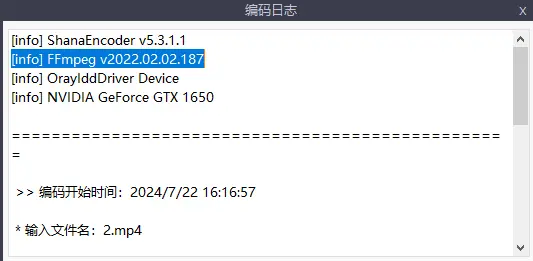
好的,谢谢,请问下怎么看当前ShanaEncoder版本的ffmpeg是什么版本啊,我目前的版本是ShanaEncoder -5.3. ...

可以在菜单栏,关于里面看到版本号
Myallure|Google Chrome 98.0.4758.139|Windows 10 发表于 2024/7/22 16:24
Myallure 发表于 2024/7/22 16:21
好的,谢谢,请问下怎么看当前ShanaEncoder版本的ffmpeg是什么版本啊,我目前的版本是ShanaEncoder -5.3. ...


好像找到了,是日志里面的版本是吧 捕获.PNG
[发帖际遇]: 一个袋子砸在了 Myallure 头上,Myallure 赚了 5 樱币. 幸运榜 / 衰神榜

手机版|Archiver|Mail me|网站地图|IT技术交流论坛 ( 闽ICP备13013206号-7 )

GMT+8, 2026/1/11 14:50 , Processed in 0.117086 second(s), 23 queries , MemCache On.

Powered by itzmx! X3.4

© 2011- sakura

快速回复 返回顶部 返回列表